Looking for the most convenient SIM for you?
Let's customize the best packages for you!

The iPhone 15 has marked a major shift in connectivity technology, with some models, especially those distributed in the US, transitioning to eSIM-only support. This has led many users to search for the best eSIM for iPhone 15. In this article, Way2go will help you better understand 2025 eSIM technology, how it works, and how to install an eSIM on the iPhone 15 series.
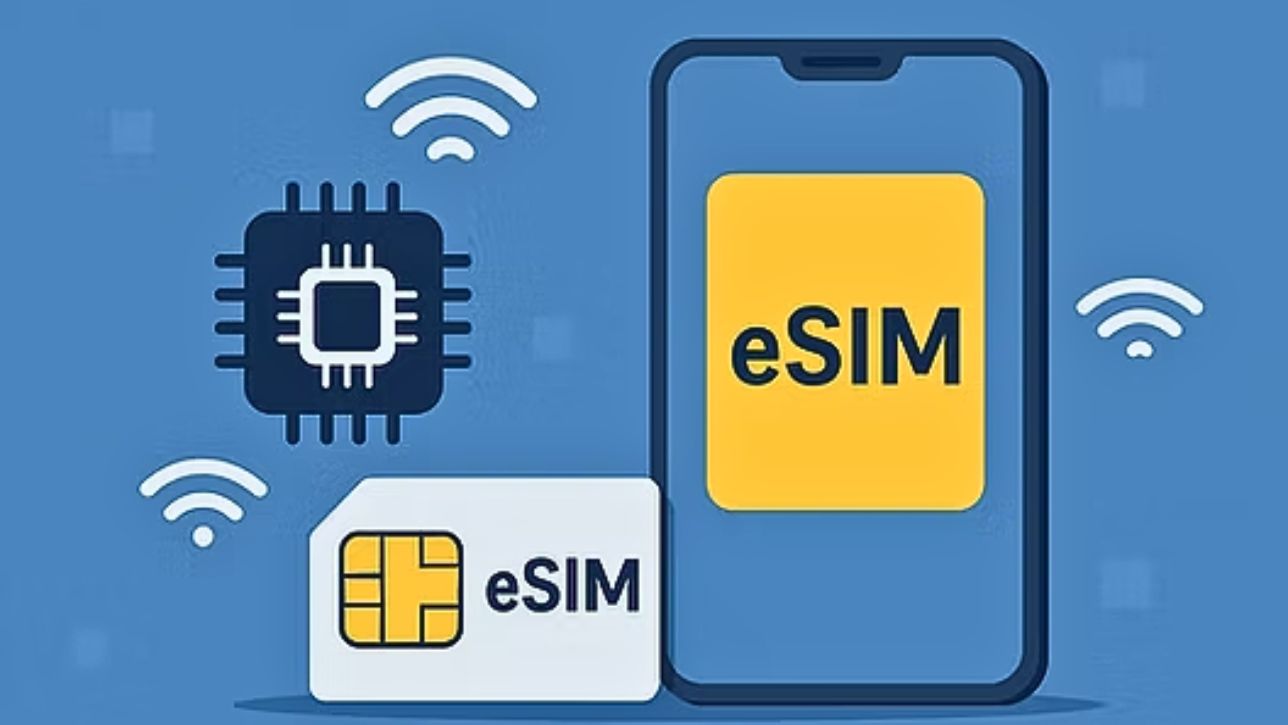
The iPhone 15 series marks a significant milestone in the popularization of eSIM. In some key markets, particularly the United States, the iPhone 15, iPhone 15 Pro, and iPhone 15 Pro Max models are sold as iPhone 15 eSIM-only, meaning they have no physical SIM card slot at all. This means users in these markets are required to use an eSIM.
In other markets, like Vietnam, the iPhone 15 can still support both a physical SIM and an eSIM, or sometimes Dual eSIM (two eSIMs operating simultaneously). Regardless of which version you are using, the eSIM support on the iPhone 15 offers significant advantages:
Effective dual SIM utilization: You can combine two eSIMs, or one eSIM with a physical SIM (if a slot is available), to conveniently manage separate contacts and cellular plans.
Seamless connectivity: Switching between plans or carriers becomes quick and smooth, which is ideal for those who need a stable connection whether they are at home or traveling.
No difference in eSIM features across versions: Whether you are looking for an eSIM for iPhone 15 Pro Max or an eSIM for iPhone 15 Pro, or even the standard iPhone 15 version, the eSIM technology and its functionality are the same. The main differences lie in the hardware features of each model (camera, processor chip, screen, etc.). This means that choosing the best eSIM for iPhone 15 will depend on your usage needs, not the specific iPhone 15 version you own.
Step 1: Check if your iPhone is unlocked
Make sure your iPhone 15 is unlocked so it can accept eSIMs from any carrier. You can check this in: Settings > General > About > Carrier Lock. If it says No SIM restrictions, your phone is unlocked.
Step 2: Choose an eSIM provider
Depending on your needs (local data, travel, international roaming), select a provider that supports eSIM iPhone 15. You can buy eSIM from Way2go, click here for more options: https://way2gotravel.com/en
Step 3: Purchase your eSIM plan
Go to the provider’s website or mobile app
Select your country or region and data plan
Complete payment online
You’ll receive a QR code, activation code, or setup instructions
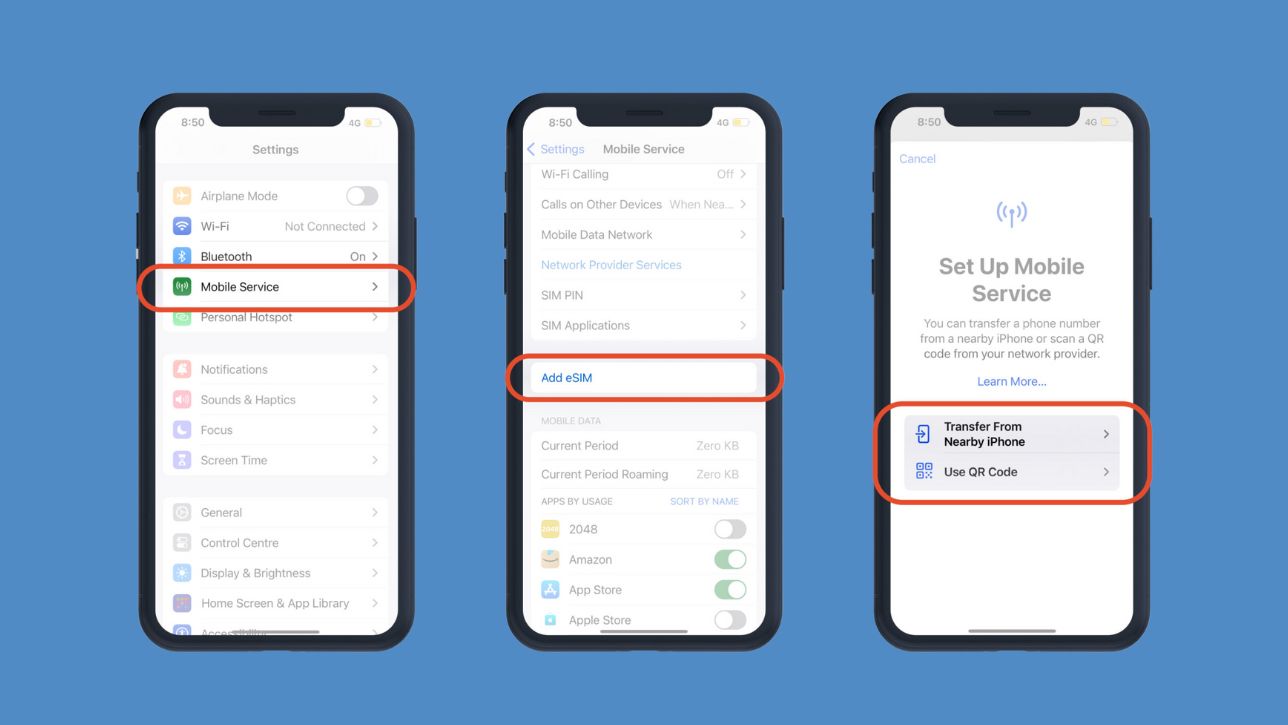
Once you have the QR code or activation details from your provider, adding an eSIM to your iPhone 15 is just a few simple steps:
Open the "Settings" app on your iPhone.
Tap on "Cellular" or "Mobile Data".
Tap "Add Cellular Plan" or "Add eSIM".
From there, you'll have two options:
Scan a QR Code: This is the most common method. Place the QR code in front of your iPhone's camera, and the device will automatically detect and configure the eSIM.
Enter Details Manually: In some cases, your provider will give you information like the SM-DP+ address and an activation code. You'll need to enter this information following the on-screen instructions.
After scanning or entering the information, your iPhone will connect to your carrier's server and download the eSIM configuration. This process can take a few seconds to a few minutes.
Once complete, you can name your eSIM (e.g., "Work SIM," "Personal SIM," "Travel SIM") to manage it easily.
Make sure you have a stable Wi-Fi connection during the activation process to avoid interruptions. If you encounter any issues, contact your eSIM service provider immediately for support.

Way2Go is a platform specializing in providing travel eSIM plans for international users. Their service helps you connect to the internet as soon as you land without needing a physical SIM card. Here are some key benefits of using Way2go's eSIM:
Perfectly compatible with the iPhone 15 series: Way2Go fully supports the iPhone 15, 15 Plus, 15 Pro, and 15 Pro Max models, making it especially suitable for the eSIM-only versions without a physical SIM tray. The installation process is smooth, with no jailbreaking or complex technical skills required.
Global coverage: Way2Go offers eSIM plans that work in over 200 countries and territories, including popular destinations like the US, Japan, South Korea, Singapore, Europe, and Australia. This is perfect for tourists, business travelers, or global freelancers.
Diverse plans for flexible needs: Users can choose from various short-term data plans: 1GB–10GB for 7–30 days, Unlimited plans, or plans for single countries or multiple countries.
Reasonable prices with no hidden fees: Way2Go provides competitive pricing compared to traditional carriers or international roaming services. There are no hidden fees, no contracts, and no complicated verification processes. You just pay once, receive the QR code, and start using the service.
24/7 customer support: Way2Go offers continuous 24/7 technical support via live chat or email, even when you're abroad. This helps resolve issues quickly, which is especially useful for first-time eSIM users.
Security & data safety: Your payment data and user information are strictly protected. Using an eSIM instead of a physical SIM card also reduces the risk of losing your SIM or having your information stolen.
To ensure a smooth experience with your iPhone 15 eSIM, keep these tips in mind:
Check compatibility: Although the iPhone 15 supports eSIM, always check if your chosen carrier or eSIM service is fully compatible with your device and the current iOS version.
Back up information: While an eSIM is not a physical card you can lose, it's essential to back up important information related to your mobile account (which is typically managed through your carrier's account or app).
Be cautious with unverified sources: Only purchase eSIMs from reputable and well-known providers to avoid risks to your personal data security or service quality.
Read the terms carefully: Before buying any eSIM plan, thoroughly read the terms and conditions, especially regarding data capacity, speed, usage limits, and refund policies.
Manage multiple eSIMs: The iPhone 15 allows you to store multiple eSIMs at once. You can easily switch between them in "Settings" > "Cellular" or "Mobile Data," turn each eSIM on or off as needed, or delete an eSIM you no longer use. Naming each eSIM clearly will help you manage them more effectively.
Switching to an eSIM for your iPhone 15 is not just a technological advancement; it also provides superior convenience, security, and flexibility. With providers like Way2go, you can easily choose the best eSIM for your iPhone 15 that fits your personal needs.
Enrich your travel experience while staying connected